A tiny "who's here" counter for your pages
A lightweight "N people here" badge you can drop on any page. It links to your town square without loading the whole square.
The full town square is lovely, but it isn't right for every page. On a busy article, a checkout, or a docs page, you might not want a whole animated scene. You just want a small nudge that says other people are around right now.
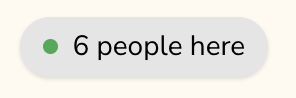
So there's now a tiny counter for exactly that: a little "N people here" badge you can drop anywhere. Click it, and it takes you to the square.
What it does
The counter is a small pill that shows how many people are currently in your town square. It's deliberately minimal:
- One line to add. No stylesheet, no extra setup. Just a script and a
div. - Featherweight. It doesn't load the square or open a live connection. It simply asks the server "how many people are here?" every now and then.
- It links to the square. Click it and it scrolls to the full square if one is on the same page, or sends the visitor to your square's page if it isn't.
Because it never joins the square itself, putting the counter on a page does not add a phantom visitor or inflate the number. The count only ever reflects people who actually have the square open.
One square, counted everywhere
Your town square is shared across your whole site, not tied to a single page. Everyone with the square open, on any page, is in the same square.
That's what makes the counter useful. You can put the badge on your busiest pages and the full square on a dedicated page, and the badge still shows the real, live total. Same number wherever it appears.
How to add it
Open your admin page and find the Presence counter section. Pick a style, copy the snippet, and paste it wherever you want the badge to show.
If the full square lives on the same page, leave the town square page field blank. The counter will just scroll to it. Set that field only when the badge sits on a page without the square, like a blog post or a site-wide footer.
That's the whole thing. The badge follows your page's light and dark mode on its
own. If you want to restyle it further, override the CSS variables on the
.ts-counter element. The admin page lists the ones you can tweak.
Where it shines
A few places the counter feels right:
- The top of a blog post, linking down to a square at the bottom.
- A sidebar or footer on every page, pointing to one shared square.
- Anywhere the full scene would be too much, but a quiet "you're not alone here" still belongs.
If you've already got a square running, it takes about a minute to add.